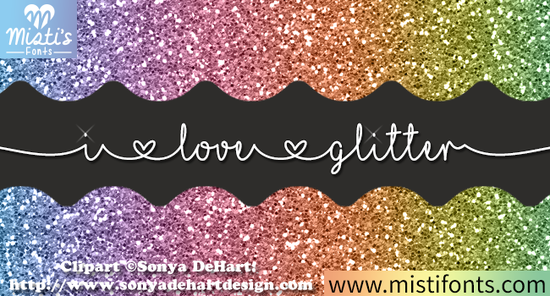
If you’ve ever wanted your designs to shimmer without needing actual glitter, the I Love Glitter Font might be exactly what you’re looking for. It’s a playful script that brings sparkle to digital projects whether you’re making greeting cards, t-shirts, or party decor. The letters have a soft, hand-drawn feel with just enough glam to catch the eye, but not so much that it overwhelms your layout. And yes, it works beautifully in Cricut Design Space if you’re into printable cards or shadow boxes.
What kinds of projects does this font work best for?
This isn’t just a “party font.” While it shines (literally) on birthday invites and holiday crafts, its versatility makes it surprisingly useful for everyday creative work:
- Print-on-demand sellers can use it for mugs, tote bags, or stickers targeting gift shoppers.
- Small business owners might add it to social media graphics or boutique packaging for a whimsical brand voice.
- Teachers and parents love it for classroom posters or kids’ party favors it’s fun but still readable.
- Scrapbookers and card makers will appreciate how well it layers with other design elements.
It pairs especially well with simpler fonts like Daily Calm or School Font when you need contrast between headings and body text.
Is it easy to install and use?
Yes once you download the file from Creative Fabrica, installation is the same as any OTF or TTF font. Just double-click the file and hit “Install.” After that, it’ll show up in your software’s font menu: Photoshop, Illustrator, Canva, Silhouette Studio, or Cricut Design Space. No special plugins needed.
A quick tip: because of its decorative nature, avoid using it for long paragraphs. Stick to headlines, quotes, or short phrases where the style can really pop. If you’re layering it over photos or textured backgrounds, try adding a subtle stroke or drop shadow so the glitter effect doesn’t get lost.
How does it compare to other script fonts on Creative Fabrica?
It’s more stylized than something like Photography Font, which leans minimalist and clean. Compared to Wild Flower Honey Duo, it’s less floral and more sparkle-focused. And while Stylish Handwriting gives you that casual journal vibe, I Love Glitter leans into celebration and joy.
Think of it as the font version of confetti not for every occasion, but perfect when you want to add excitement.
Can I use it commercially?
Yes. Like most Creative Fabrica fonts, you get a commercial license with your download. That means you can sell physical products (like printed shirts or greeting cards) or digital templates that include the font. Just don’t redistribute the font file itself or claim you designed it. Always check the specific license terms after purchase, but generally, crafters and small businesses are covered.
Any tips for getting the most out of this font?
A few things help it shine even brighter:
- Use sparingly. One or two words in I Love Glitter often make more impact than a full sentence.
- Pair with solid colors. Busy backgrounds can compete with the glitter texture. Try white, black, or pastels underneath.
- Scale wisely. At very small sizes, the details fade. Keep it above 24pt for best results.
- Layer effects lightly. A thin outline or soft glow can help it stand out without overpowering the glitter look.
If you’re curious how others are using it, you can browse examples by searching for I Love Glitter Font on Creative Fabrica. You’ll find everything from wedding signage to kids’ birthday banners all with that signature sparkle.
Whether you’re crafting for fun or building a side hustle, having a font that instantly adds personality can save you time and elevate your work. And sometimes, a little glitter even the digital kind is exactly what a project needs.
Ready to try it? Here’s your next step:
- Download the font and test it in one simple project maybe a quote graphic or a gift tag.
- Save your favorite pairings (try it with Daily Calm for balance).
- Check out the CF Classes on Designing Printable Cards or Shadow Boxes if you use Cricut they show practical ways to apply fonts like this one.
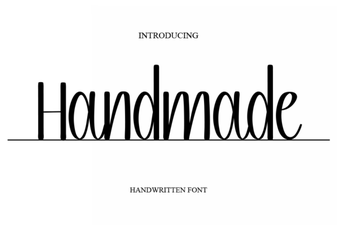 Craft Unique Designs with Handmade Fonts
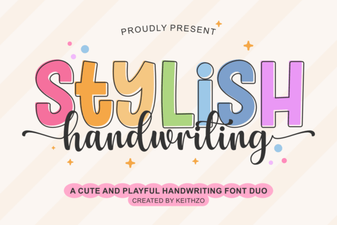 Craft Projects with Elegant Handwriting Fonts
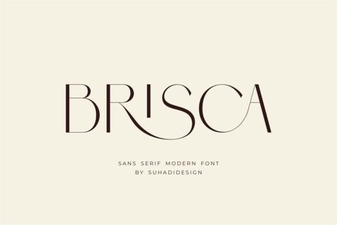 Brisca Font: Creative Styles for Modern Design
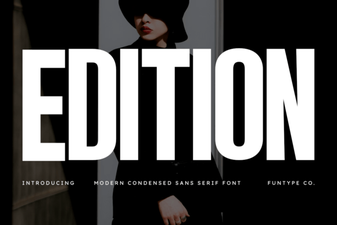 Edition Font: Design for Creative Projects
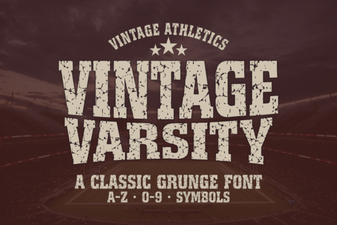 Vintage Varsity Fonts for Sports Projects and Design